使用 AI建立個人部落格體驗
Published: 2 min read
起因
原本只是想要試試看,在 2026 年透過 AI 來建立個人網站或 Blog 到底有多方便。後來想想都要建站了,不如把過程記錄下來。
技術選型
原本比較熟悉的技術框架是 Vue 加上 Tailwind CSS 與 Shadcn-vue的搭配,但在與 Gemini 來回討論幾次以後,決定以快速,輕量,極簡風格為主軸,便有了以下的搭配:
| 環節 | 建議方案 | AI 協作角色 |
|---|---|---|
| 框架 | Astro (Starlight 或基礎模板) | 負責處理 Markdown 轉網頁,SEO 極佳且無冗餘 JS。 |
| UI 風格 | Typography-first (Tailwind CSS) | AI 負責生成 prose 樣式(針對文章排版最佳化),不需複雜組件。 |
| 內容管理 | Astro Content Collections | AI 負責幫你產生 schema.ts(定義文章標籤、日期等結構)。 |
| 編輯器 | Cursor / Windsurf | 你的主力。 你下達目標,它負責寫實作碼。 |
| 部署 | Cloudflare Pages | 自動化 Git 部署,推送到 GitHub 即發布。 |
開始動手…或嘴
使用 Codex CLI 搭配 GPT-5.2-codex 模型,將上一步準備好的 prompt 直接貼入
# Role: Senior Web Architect (AI-Native Development)
# Goal: Build a minimalist Astro blog with Dark Mode and Markdown-based workflow.

## 🟢 PHASE 1: STRATEGIC PLANNING (Wait for User Confirmation)
Before writing any code, please provide a comprehensive execution plan including:
1.  **Project Architecture:** List the file structure for Astro 5.x (Content Layer).
2.  **Dark Mode Strategy:** Plan a lightweight implementation (Tailwind 'class' strategy + small inline script to prevent FOUC).
3.  **Data Schema:** Define the Zod schema for blog frontmatter.
4.  **UI Layout:** Describe the component hierarchy for the Home and Post pages.

---

## 🔵 PHASE 2: IMPLEMENTATION (Execute after Phase 1 is approved)

### 1. Technical Stack
- Framework: Astro 5.x (latest stable)
- Styling: Tailwind CSS + @tailwindcss/typography
- Content: Astro Content Collections (Markdown)
- Deployment: Cloudflare Pages (Static output)

### 2. Functional Requirements
- **Dark Mode:** - Implementation: Support system preference sync + manual toggle.
  - UI: A clean, accessible toggle button in the header.
  - Persistence: Use localStorage to remember user preference.
- **Home Page:**
  - Header: Display [Name] and [One-sentence Bio].
  - List: All Markdown posts grouped by Year (Descending).
  - Format: `[Month Day] - [Title]`.
- **Blog Post Page:**
  - Layout: Centered, readable container with Tailwind Prose.
  - Features: Back-to-home link, publish date, and reading time (optional).

### 3. Execution Constraints
- Use **pnpm** as the package manager.
- Ensure 100/100 Lighthouse SEO & Performance scores.
- Code style: Minimalist, no external heavy UI libraries (only raw Tailwind + shadcn-like logic if necessary).

---
請先輸出 **PHASE 1** 的規劃內容,待我確認後再進行實作。
規劃的過程挺順利,直接請 Codex 繼續實作。最後成果出現一個文章清單抓取錯誤的問題,也是直接修正就沒問題了。
結果
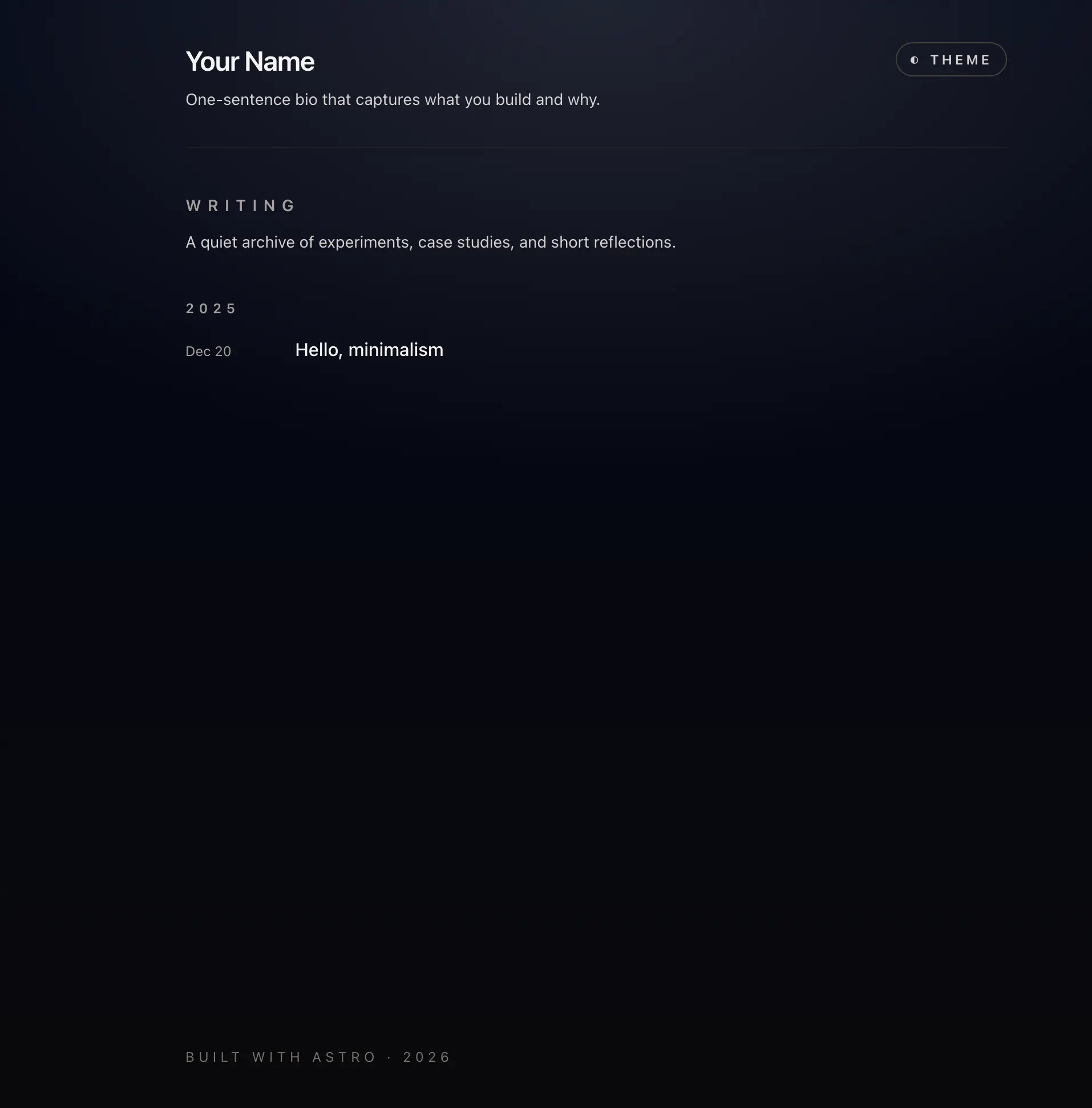
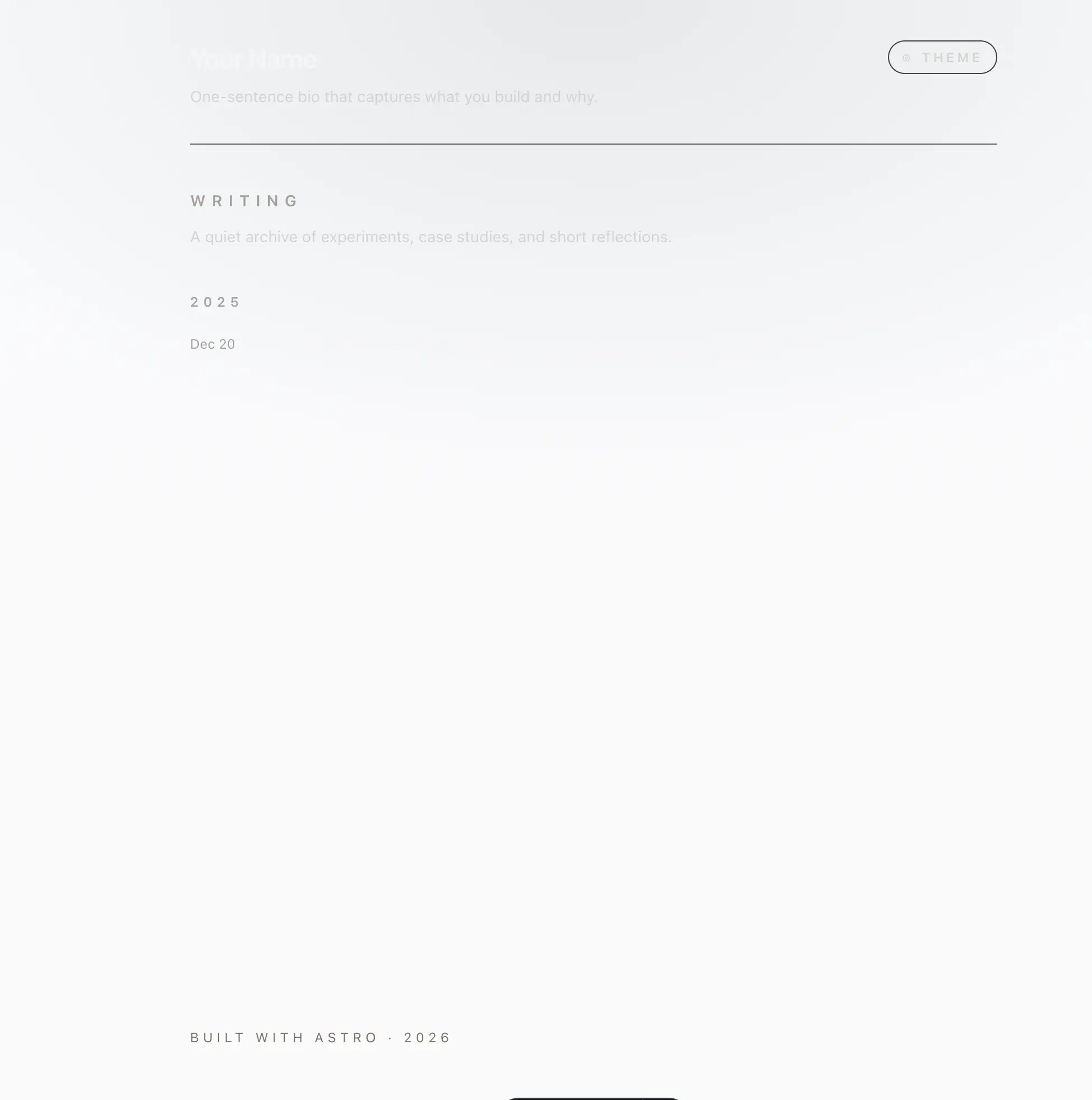
以下是第一版的截圖:
首頁-黑暗模式
首頁-淺色模式
文章頁面-黑暗模式
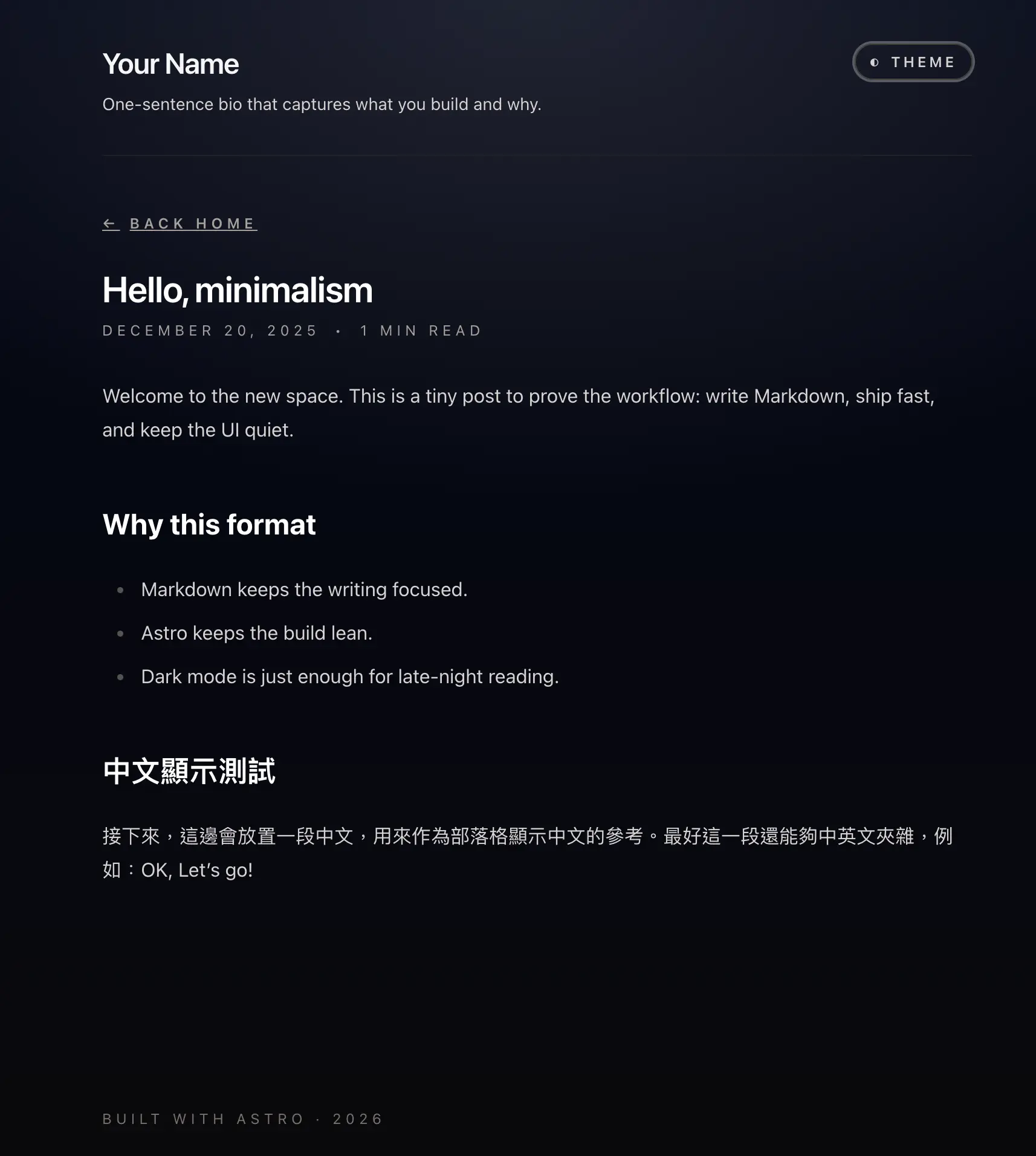
可以看到淺色模式的文字看不太清楚,還是需要一些調整。中文字體的大小也太考驗我的眼力。不過完整性不錯,風格也還算符合預期。接著再來繼續微調。